One Friday night I left Claude Code a long job in Figma. The Mac locked itself, the agent stopped at the lock screen and asked me to unlock it, and nothing happened for the rest of the weekend.
That's the kind of weekend Lunhand is for. It's a computer-use MCP server for macOS that I built and now sell. When my Mac locks at night, the agent keeps going: Lunhand unlocks the Mac behind a black cover, the agent reads pages in Chrome and writes in Notion, and when it's done the Mac locks again. If someone touches the keyboard while that's happening, the Mac locks within 0.13 seconds.
The problem with computer use on my Mac
I use Claude Code for jobs in apps that don't have an API for what I need. Notion and Figma both have APIs, but plenty of what I do there by hand isn't in them. So the agent has to use the apps the way I do.
The tools I tried did that by taking over my screen. The app jumped to the front, the pointer moved, the clipboard changed. I'd sit there waiting for the agent to finish so I could have my Mac back. And a lot of those jobs run at night, when the Mac is locked anyway.
Working in the background
Lunhand gives the agent screenshots of a window and its accessibility tree, and sends clicks, scrolls, drags and keystrokes to that one window. The app doesn't come to the front. My front app, pointer, clipboard and keyboard layout stay put, so I can keep typing in one app while the agent works in Notion. It works with any MCP client. I mostly use Claude Code, and Codex and Claude Desktop work too.
You can run several sessions at once. Each one gets its own cursor color, which helps when four of them are working at the same time:
Two early bug reports were about sharing the mouse. On a busy Mac with several sessions dragging at once, your pointer lagged behind your hand. And if you moved the mouse while the agent was dragging, the drag jumped to your pointer: a line it was drawing in Freeform would suddenly bend off toward it. Both are fixed. Now you can wave the mouse around while the agent drags and nothing jumps.
How the input gets to a background window is the part that took longest to get right, and I'm keeping it to myself.
The locked-Mac part
This is the part people worry about, and they should, so here is how it works.
The lock-screen part is optional. It's a separate item in the installer and needs your admin password. It installs a login plugin and adds one option to the screen-unlock rule. The original rule is backed up first and put back when you remove it.
When an agent needs an app and the Mac is locked, Lunhand wakes the screen and the lock screen asks the plugin. The plugin only says yes to the Lunhand app in /Applications, running as the logged-in user, with a valid code signature.
Before anything else, a cover goes over every screen. This is all someone walking past would see:
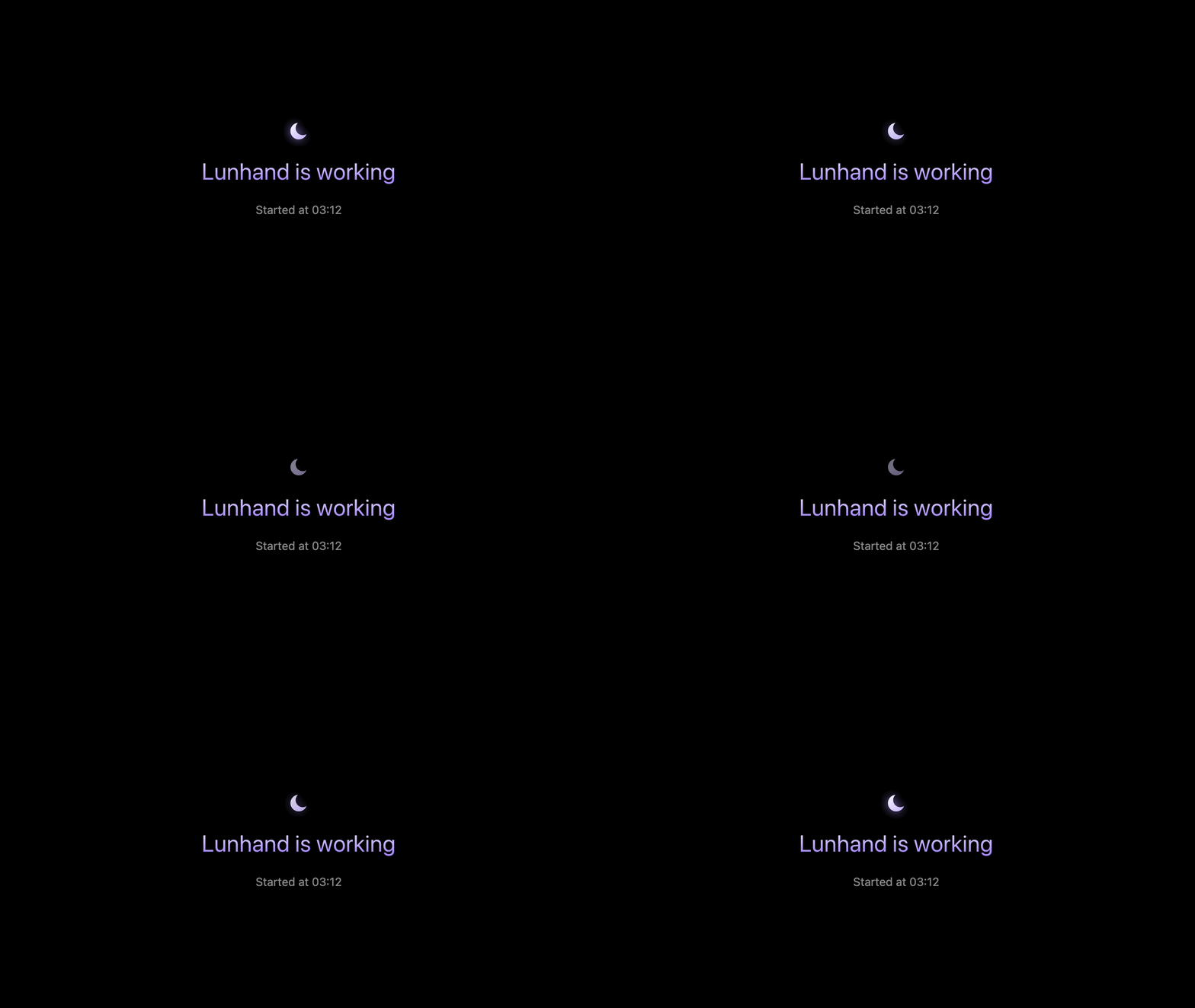
If a person touches the keyboard, mouse or trackpad, that input doesn't reach the apps, and the Mac locks within 0.13 seconds. Lunhand then waits until nobody has touched anything for five minutes. I found this out the honest way while recording the demo above: I hit a key to cancel the first take, and the Mac locked on me.
When the last session ends, the Mac locks again. Lunhand can't do the first login after a restart, never sees your password, and your password and Touch ID keep working.
The catch: any program running under your account can ask Lunhand to do things, including while the Mac is locked. That's true of every tool that works on a locked Mac. I only run it on my own Mac with software I trust, and I'd suggest the same. If it's a work machine, ask first.
Things macOS (and Notion) taught me
Your app's permission check can be out of date
Lunhand needs Accessibility and Screen Recording, and checking them looks trivial: AXIsProcessTrusted() and CGPreflightScreenCaptureAccess(). It isn't, because both answer from a copy inside your process.
If you remove the app from the Accessibility list with the "−" button, nothing tells the running app, and it keeps saying it's trusted. If you switch it on, macOS does send a notification, but the app can ask again before the setting is saved. In one test my setup window insisted the switch was off for 38 seconds after I'd turned it on.
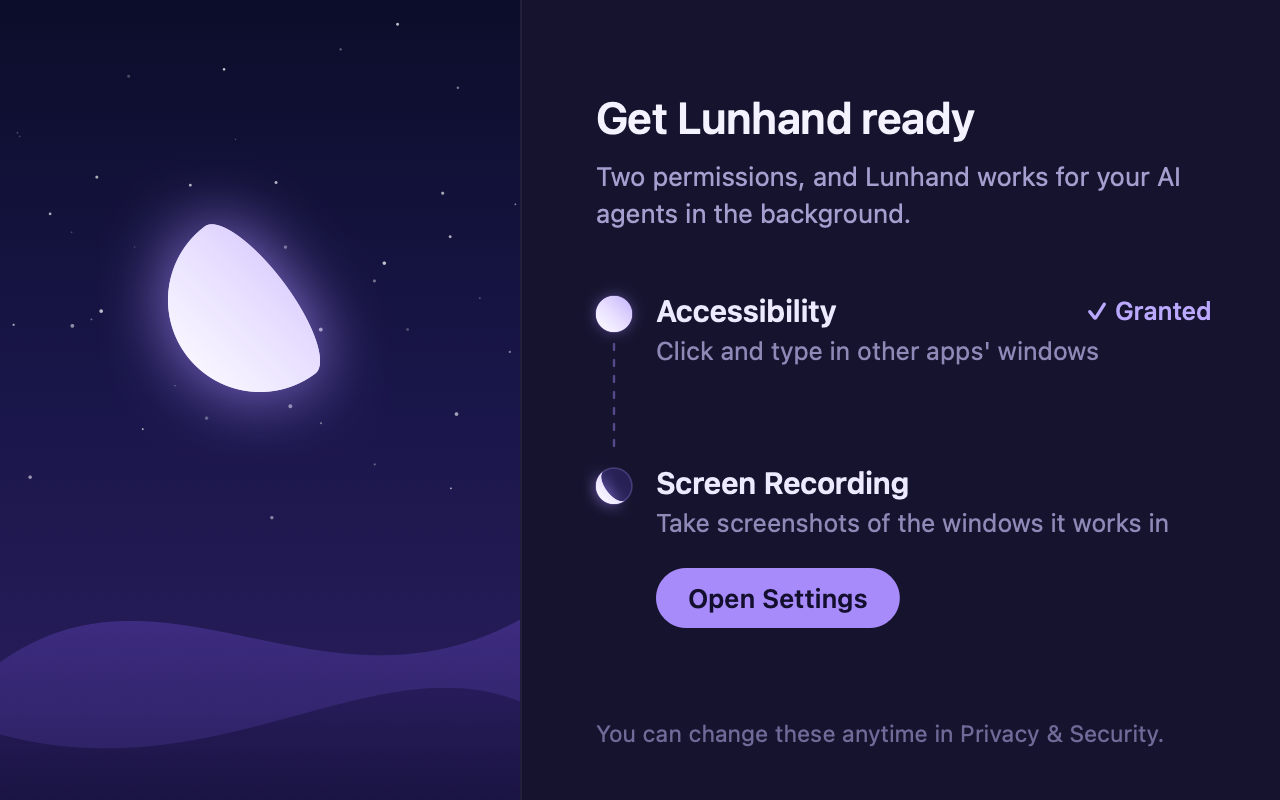
A freshly started process always gets the right answer. So Lunhand launches a copy of itself with a flag, the copy checks and exits with the answer in its exit code, and if that disagrees with what the running app believes, the app quits and its LaunchAgent starts it again. It's not elegant, but it's the only public way I found.
The cover isn't in screen recordings
When I recorded the demo, the cover wasn't in the recording. The window opts out of screen capture (NSWindow.sharingType = .none), so the recording shows the agent working behind it. Makes sense: the cover is there for people in the room. For the video I drew the cover into the corner with the app's own drawing code.
macOS brings the pointer back on unlock
Every time the screen unlocks, macOS shows the pointer again, and only the frontmost app is allowed to hide it. Lunhand never comes to the front, so it can't. I spent three builds trying to become the front app for a moment and backed them all out. Now Lunhand just moves the pointer to the edge of the screen while the cover is up and puts it back afterwards. Not into a corner, though: on my Mac the bottom-right corner opens Quick Note.
Notion needs a slow drag
The agent could drag a column on a Notion board, get an OK back, and find the column right where it started. Notion only handles mouse movement about once every 15 ms, and the first movement just starts the drag. Where the item lands is worked out from the movements after that. A normal Lunhand drag was over before Notion got to a second one. So drag now has a slow option that takes about a third of a second, and with it the column moves.
Numbers
I ran Lunhand and an open-source computer-use MCP server through the same 23 tasks in a test app, TextEdit and Notion, on the same Mac with the same agent and model. Lunhand finished all 23, the other one 15. Model cost was $1.80 against $11.77, and it took 6.1 minutes against 13.2. On a locked Mac Lunhand did 18 of 18. The other server doesn't support that yet; it's in development and off by default.
The video at the top is a real run on a locked Mac, not sped up.
If you want to try it
Lunhand is signed and notarized, for Apple silicon Macs on macOS 14.4 or later. It's $19 once for up to three Macs, and if it isn't for you, there's a refund within 14 days. More at https://kalti.co.kr/lunhand, and the security notes at https://kalti.co.kr/lunhand/security.
If you have thoughts on the locked-Mac design, I'd like to hear them: support@kalti.co.kr.